
share: 


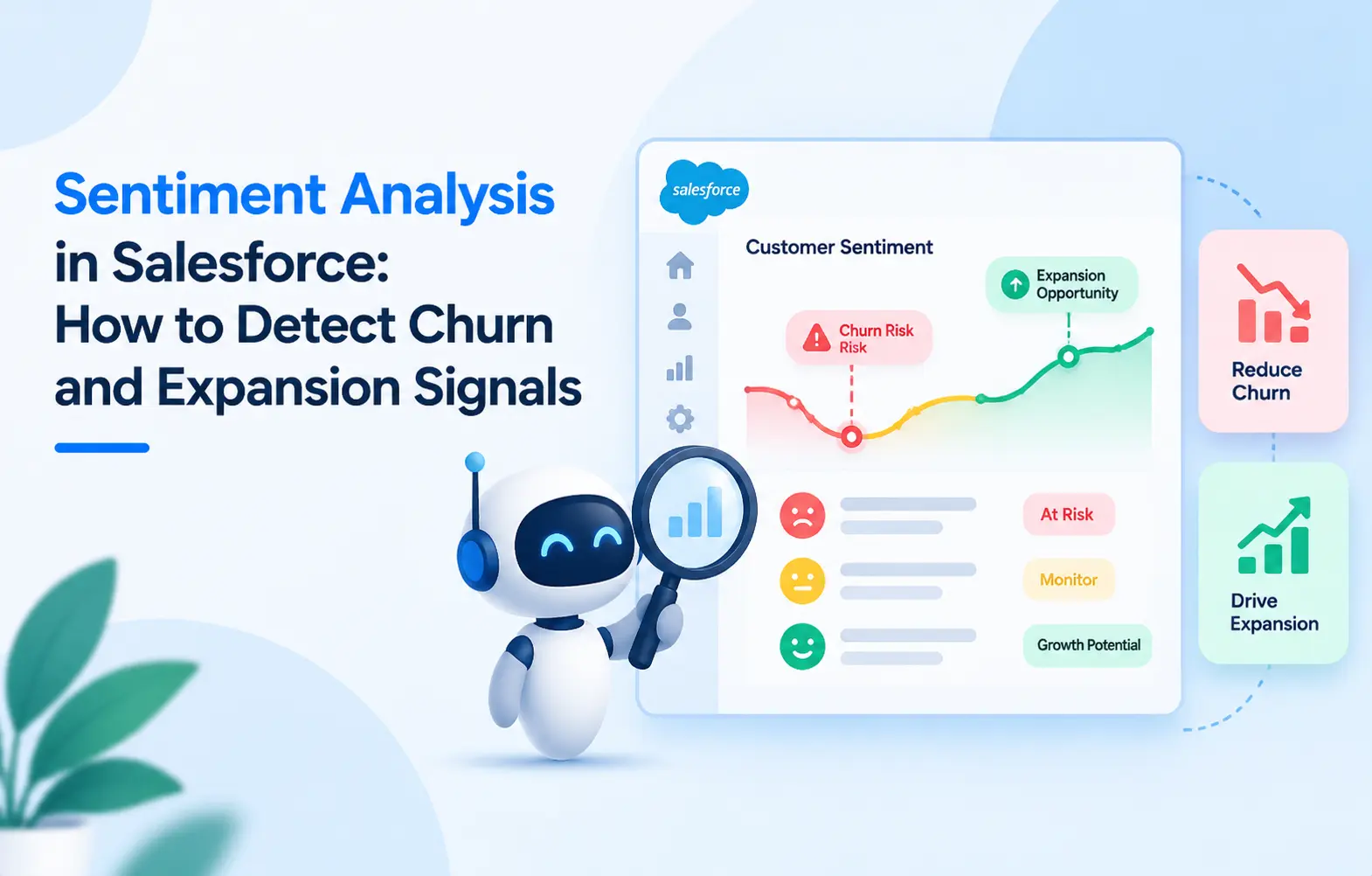
Sentiment analysis in Salesforce classifies open-ended responses into four emotional categories. Those categories are positive, negative, neutral, and mixed per response. These classifications surface churn risk and expansion signals numeric scores miss. SurveyVista runs this analysis through Amazon Comprehend’s NLP engine natively.
Key Takeaways
- Salesforce sentiment analysis turns unstructured text into structured, actionable CRM data.
- The global text analytics market reached $5.86 billion in 2020.
- SurveyVista offers two tiers: base in Premium and Advanced dashboards in Enterprise.
- Setup requires the customer’s own AWS account for Amazon Comprehend access.
- Historical or imported responses are not retroactively analyzed by the current system.
What Is Sentiment Analysis in Salesforce?
Sentiment analysis in Salesforce applies NLP to open-ended text inside CRM records. It classifies each response as positive, negative, neutral, or mixed automatically. Classification runs at the question-response level, not the overall survey level. One response can contain both praise and a complaint simultaneously.
Salesforce’s own sentiment analysis guide describes a five-step process for classification. Those steps cover data collection, NLP processing, classification, and insight generation. The global text analytics market reached $5.86 billion in 2020. Allied Market Research projects it will reach $29.42 billion by 2030.
Why Numeric Scores Miss Churn and Expansion Signals
A CSAT score of 3 out of 5 only signals “lukewarm.” It does not explain why or what comes next. The open-ended comment paired with that score carries the actual signal.
Customer churn prediction Salesforce programs relying on numeric scores miss text warnings. Sentiment analysis catches frustration, urgency, and competitor mentions that ratings cannot capture.
According to Gartner’s research, 84% of customer support leaders rely heavily on data and analytics to meet organizational goals. Sentiment classification adds a qualitative data layer that numeric scores alone cannot provide. Expansion signals hide in text data too, not just churn risk signals. “We need this for APAC” is a growth signal hiding in text.
How SurveyVista’s Sentiment Analysis Works Operationally
SurveyVista’s sentiment analysis runs on Amazon Comprehend, AWS’s NLP service. It is not a proprietary SurveyVista model or a Salesforce-native engine. The customer provides their own AWS account for API access to Comprehend.
Three configurable insight preferences
SurveyVista offers three sentiment insight modes, each toggled per survey question:
- Key Phrases. Identifies significant topics or themes within text-based responses automatically.
- Sentiment. Classifies emotional tone as positive, negative, neutral, or mixed. Only this mode calculates a Sentiment Score on the response record.
- Targeted Sentiment. Evaluates sentiment toward specific entities mentioned in text. Currently supports English language responses only per Amazon Comprehend’s limitations.
AWS setup steps
- Create an IAM user with ComprehendFullAccess policy attached.
- Generate an Access Key ID and Secret Access Key securely.
- Note the AWS region where Amazon Comprehend runs for your account.
Salesforce setup steps
- Create an External Credential in Setup with AWS region and account ID.
- Add a Principal with Access Key, Secret Key, and IAM Role ARN.
- Create a Named Credential pointing to that External Credential record.
- Build a Permission Set granting External Credential Principal Access for Comprehend.
- Assign that Permission Set to all users needing sentiment analysis access.
SurveyVista setup steps
- Open Ardira Administration from the App Launcher inside your Salesforce org.
- Navigate to AI/ML Configuration and select Amazon Comprehend as the provider.
- The Named Credential name auto-populates once the provider is selected.
- Save the configuration to connect all three systems together successfully.
See SurveyVista’s full platform for native survey automation →
Enabling sentiment on a survey question
Once the connection is live, sentiment runs at the individual question level. On a Long Response or Rich Text question, open its detail page. Move “Sentiment” from available preferences into the chosen preferences list. Save, and every new response to that question gets classified on submission.
Mapping sentiment results back to CRM records
Sentiment scores serve Salesforce customer retention only on the right record. SurveyVista’s Response Mapping handles this through a configurable rule on each survey. Create a rule targeting Contact with “Create and Update” as the action. Map Sentiment to a custom field on the target object record. On submission, the classification writes directly to that Contact alongside the response.
This mechanism makes customer churn analysis actionable inside the CRM directly. A CSM opening an account sees sentiment next to renewal and contracts.
Where Sentiment Analysis Fits in the Broader CX Stack
Sentiment analysis in Salesforce is one layer inside a broader CX stack. NPS, CSAT, and CES capture numeric signals from structured survey questions. Sentiment captures emotional signals from unstructured text across those questions. Together, these layers complete the picture of account health inside Salesforce.
The numeric layer answers “how does this customer rate us.” The sentiment layer answers “what are they actually feeling.” Salesforce customer analytics programs using both layers predict churn more accurately.
SurveyVista’s CSAT analysis guide covers how scores and classifications combine. The survey reporting page shows how both data types render in dashboards.
Advanced Sentiment Analysis: Entity-Level Dashboards
The Enterprise edition adds an Advanced Sentiment Analysis dashboard above base classification. A scheduled Apex job called SurveyOperationsSchedulable refreshes this dashboard data. Daily scheduling is typical for consistent and current sentiment trend data.
The dashboard includes two chart categories with seven total chart types:
Sentiment-level charts:
- Sentiment Distribution. Groups all responses into positive, negative, neutral, and mixed buckets.
- Sentiment Trends Over Time. Tracks monthly sentiment shifts to identify emerging feedback patterns.
Entity-level charts:
- Top Key Entities by Frequency. A word cloud of the most-mentioned entities.
- Sentiment Distribution by Entity. Shows how each entity, product, or team is perceived.
- Top Entities with Strong Positive Sentiment. Highlights what customers appreciate most.
- Top Entities with Strong Negative Sentiment. Pinpoints where corrective action is needed.
- Entity Sentiment Over Time. Tracks monthly sentiment shifts around specific entities individually.
These charts give Salesforce customer analytics teams a visual layer on top of raw data. Filters applied in Survey Metrics carry forward to the dashboard automatically.
Explore SurveyVista’s survey analysis software for deeper reporting →
How Churn and Expansion Signals Appear in Practice
Salesforce churn prediction becomes more reliable when sentiment sits alongside transaction data.
| Signal type | What the text contains | What it triggers in Salesforce |
| Churn risk | Frustration, unresponsiveness, competitor mentions | Case for retention review |
| Expansion signal | Requests for more teams, regions, or use cases | Opportunity for account expansion |
| Product feedback | Feature requests or usability complaints by entity | Product backlog update or case |
| Advocacy signal | Strong praise, recommendation intent, testimonial language | Referral or case study outreach |
Customer sentiment analysis converts each text pattern into a structured CRM action. Without classification, every pattern sits unread inside a response record forever.
Read more about predictive analytics on survey data →
Limitations Worth Knowing Before Implementation
- Provider. Only Amazon Comprehend is currently integrated for sentiment analysis.
- Question types. Only Short Text, Long Text, and Rich Text questions support classification.
- Limits. Max 25 questions per survey and 5,000 characters per response for analysis.
- No retroactive analysis. Historical and CSV/JSON-imported responses are not analyzed retroactively.
- AWS billing. Amazon Comprehend usage is billed separately from SurveyVista licensing fees. The AWS Free Tier covers 50,000 units of text per API monthly.
See SurveyVista pricing for Premium and Enterprise edition details →
Frequently Asked Questions
What NLP engine powers SurveyVista’s sentiment analysis feature?
SurveyVista uses Amazon Comprehend, not a proprietary or Salesforce-native model. The customer provides their own AWS account and credentials for API access.
Can sentiment analysis run on existing historical survey responses?
No, the current system only classifies new responses submitted after feature enablement. Previously collected responses and CSV or JSON imports are not analyzed retroactively.
What is the difference between base and Advanced Sentiment Analysis?
Base Sentiment in the Premium edition classifies responses into four categories. Advanced adds a seven-chart dashboard covering entity-level and trend-level analysis.
Does Targeted Sentiment work in languages other than English?
No, Targeted Sentiment currently supports English only per Amazon Comprehend’s language support. Base Sentiment classification supports twelve languages including Spanish, French, and German.
How does sentiment data help with Salesforce customer retention specifically?
Sentiment scores map to Contact or Account records through Response Mapping rules. A CSM sees the classification next to renewal dates and contract value.
Feature details reflect SurveyVista’s knowledge base and Amazon Comprehend’s current capabilities. AWS pricing, language support, and API limits may change. Confirm all details with SurveyVista and AWS before implementation.
More Like This



Rajesh Unadkat 
Founder and CEO
Rajesh is the visionary leader at the helm of SurveyVista. With a profound vision for the transformative potential of survey solutions, he founded the company in 2020. Rajesh's unwavering commitment to harnessing the power of data-driven insights has led to SurveyVista's rapid evolution as an industry leader.
Connect with Rajesh on LinkedIn to stay updated on the latest insights into the world of survey solutions for customer and employee experience management.