
share: 


Most grant teams have no trouble collecting applications. The trouble starts after someone clicks Submit.
An application arrives without a budget attachment. Someone emails the applicant. The reply lands in one person’s inbox, and the updated file never makes it back to the original record. Meanwhile, three reviewers score the same application in three separate spreadsheets, and nobody can say for sure which version each of them read.
That stretch between submission and decision is where a grant application review process either works or falls apart. Nonprofit Dreamin’ explored this exact problem in a recent Solution Spotlight session with Rajesh Unadkat, and their recap on LinkedIn is worth a read.
This guide walks through each stage, from completeness checks to multi-reviewer scoring to final approval, with steps any grants team can put to work. The same approach applies to scholarships, fellowships, awards, and other application-based programs.
Where grant reviews break down
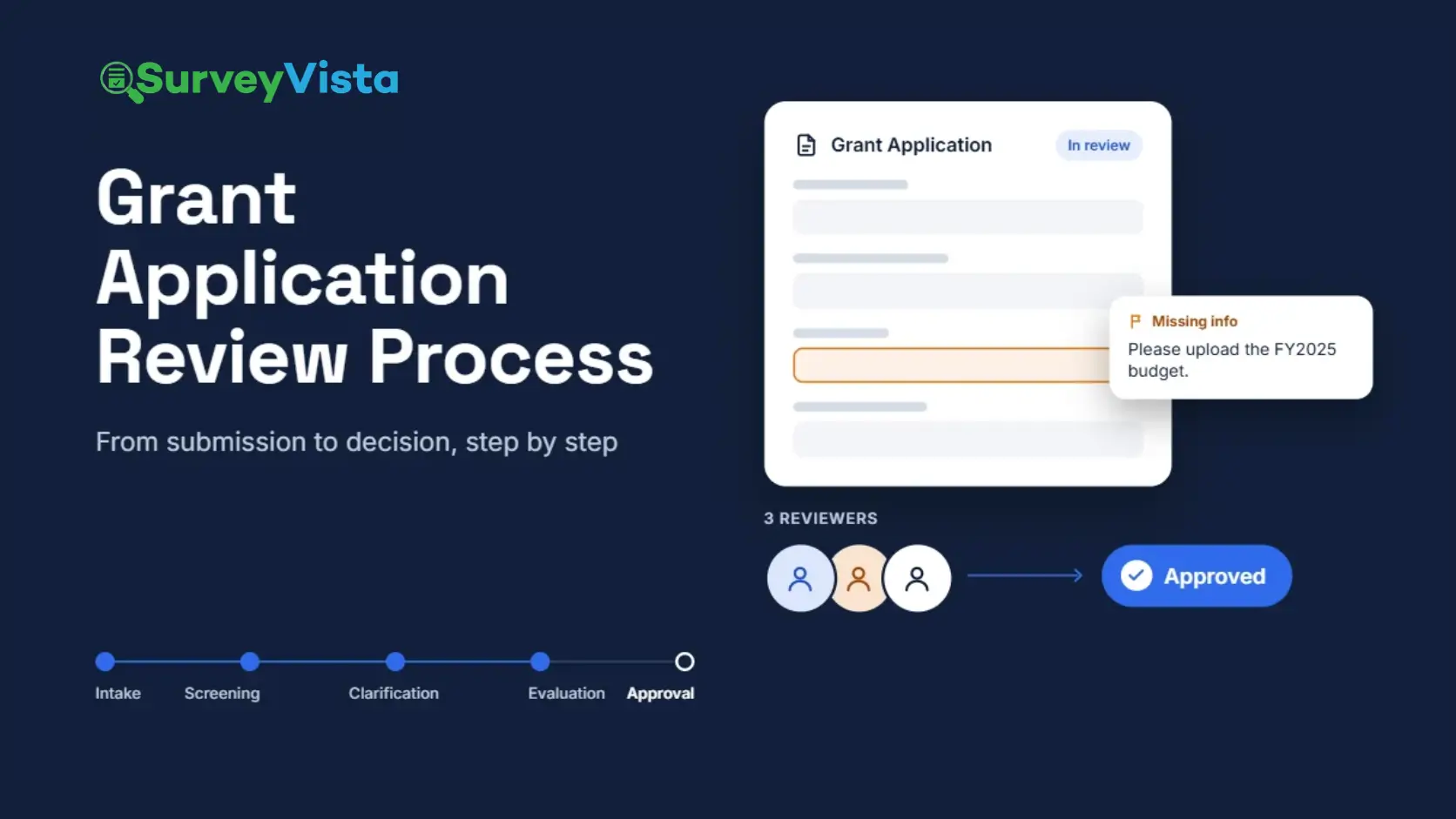
A grant application review process is the set of steps an organization uses to screen, evaluate, score, and approve applications before awarding funds. Most processes follow the same basic stages:
- Intake: the applicant submits the form and supporting documents.
- Screening process: a screener checks for any missing fields and sends the application back to the applicant if needed.
- Clarification: the applicant reevaluates and resubmits, and the screener accepts the update for evaluation.
- Evaluation and scoring: one or more reviewers evaluate the application against set criteria.
- Approval: a decision-maker approves or declines, based on the reviewers’ evaluation.
- Recordkeeping: the decision and its history go into the organization’s records.
The stages themselves rarely cause problems. The handoffs between them do. Each time information moves from a form to an inbox, a spreadsheet, or a shared drive, it can stall, get duplicated, or drift out of sync with the original application.
A useful exercise: list every tool an application touches on its way to a decision. Each switch marks a place where something can go missing.
Make the application easier to complete
Fewer gaps at intake mean fewer corrections later. A few workflow choices help applicants submit a complete application the first time.
- Put the form where applicants already are. Embedding the application on the organization’s website or applicant portal saves people from hunting for a separate link.
- Prefill what the organization already knows. Returning applicants should not have to retype contact details or organization information. Pulling in existing data saves time and cuts down on typos.
- Let applicants save and come back. Gathering documents for a grant application can take days. A save-and-finish-later option keeps half-done applications from getting abandoned.
- Allow more than one person to contribute. A program lead may write the narrative while a finance manager handles the budget. Letting several people from the same organization work on different sections removes the back-and-forth inside the applicant’s own team.
- Keep everyone moving with notifications. Automatic updates tell applicants when something needs their attention and tell reviewers when an application is ready for them.
Screen for completeness before review
Completeness screening happens before any reviewer opens the application. Its job is simple: confirm the application is ready to evaluate, so reviewers spend their time on merit instead of chasing attachments.
A typical screening check covers:
- Required questions answered
- Required documents attached and readable, such as budgets, financial statements, and letters of support
- Signatures in place
- Basic eligibility, such as geography, organization type, or funding range
When something is missing, the way the team asks for it matters.
Many teams email the applicant or reopen the entire form. Both create extra work: the applicant has to figure out what changed, and staff has to match the reply to the right application and version.
A better approach is to flag the specific question and send it back with the screener comment requesting what to fix. The applicant fixes one answer instead of scrolling through twenty, and the application record keeps both the original and the updated version.
The Nonprofit Dreamin’ session showed this step in action. The reviewer flagged one response, left a comment explaining what was needed, and returned the application with that question clearly marked. The applicant updated the answer and resubmitted, with no side email thread.
Bring in multiple reviewers
Many programs ask several people to review each application. A multi-reviewer workflow works best when it answers three questions:
- Can each reviewer complete their evaluation independently? Reviewing separately keeps one person’s opinion from shaping everyone else’s.
- Do the individual evaluations combine into one overall result? A combined result gives the decision-maker a clear starting point.
- Can the team still see each reviewer’s evaluation? Individual evaluations show where reviewers agreed and where they saw things differently.
Some programs also weight their criteria, so the factors that matter most, such as community need, count more toward the overall result.
Move to a decision with an approval checklist
Once the reviews are in, the application moves to approval. A configurable checklist gives the decision-maker a consistent set of steps to confirm before making the final call, such as checking that every review is complete and the request fits the program’s guidelines.
What matters most here is continuity. When the final decision sits on the same record as the original application, every correction, comment, and evaluation stays connected. Nobody has to piece the story back together from emails and spreadsheets when a board member or funder asks how a decision came about.
The same workflow fits more than grants
Grant applications make a good example, but the pattern applies to any process that starts with an application and ends with a decision. Nonprofit Dreamin’ pointed to scholarships, volunteer applications, program enrollment, awards, and speaker submissions. Each one follows the same path: collect the application, check it, clarify what is missing, review it, and decide.
Look for the unnecessary handoffs
Every time information moves from a form to an email to a spreadsheet to Salesforce, something can stall, disconnect, duplicate, or get lost.
A simple way to find those handoffs is to trace one application from submission to decision and note each time it leaves its original record. Each exit point is a candidate for redesign. Looking at the full journey, rather than fixing one step at a time, tends to remove several of them at once.
Seeing the full process in practice
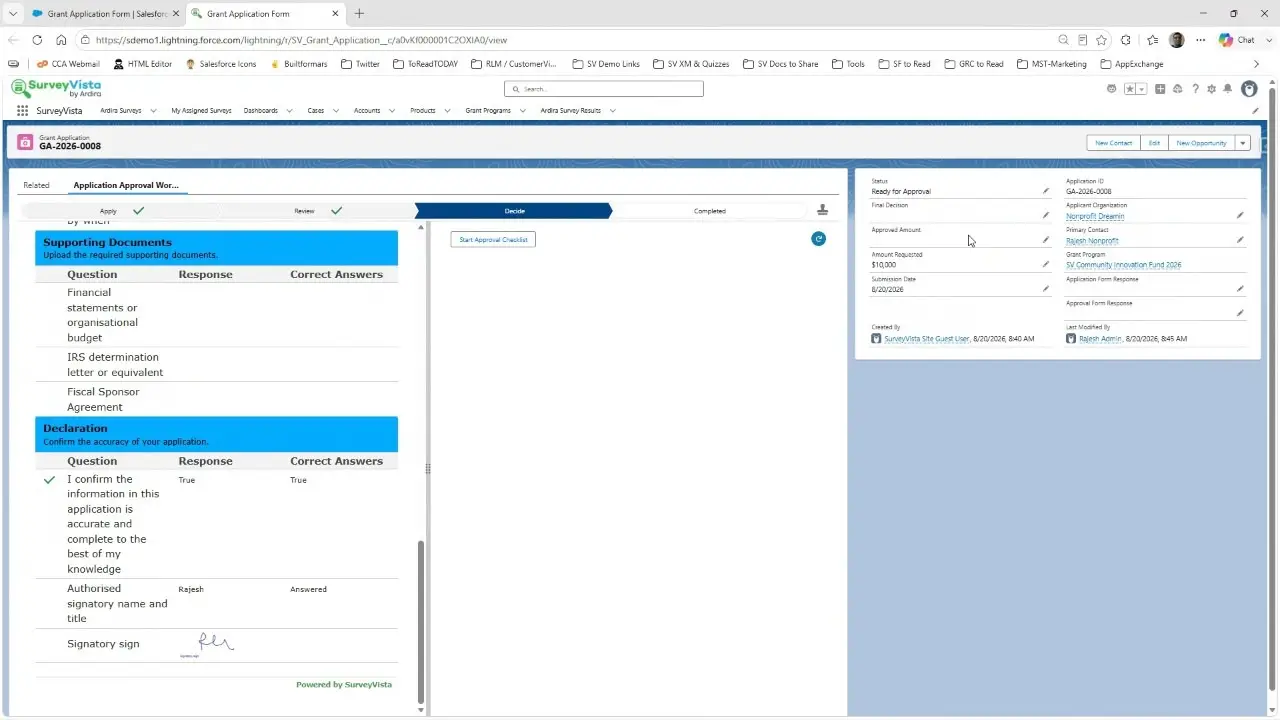
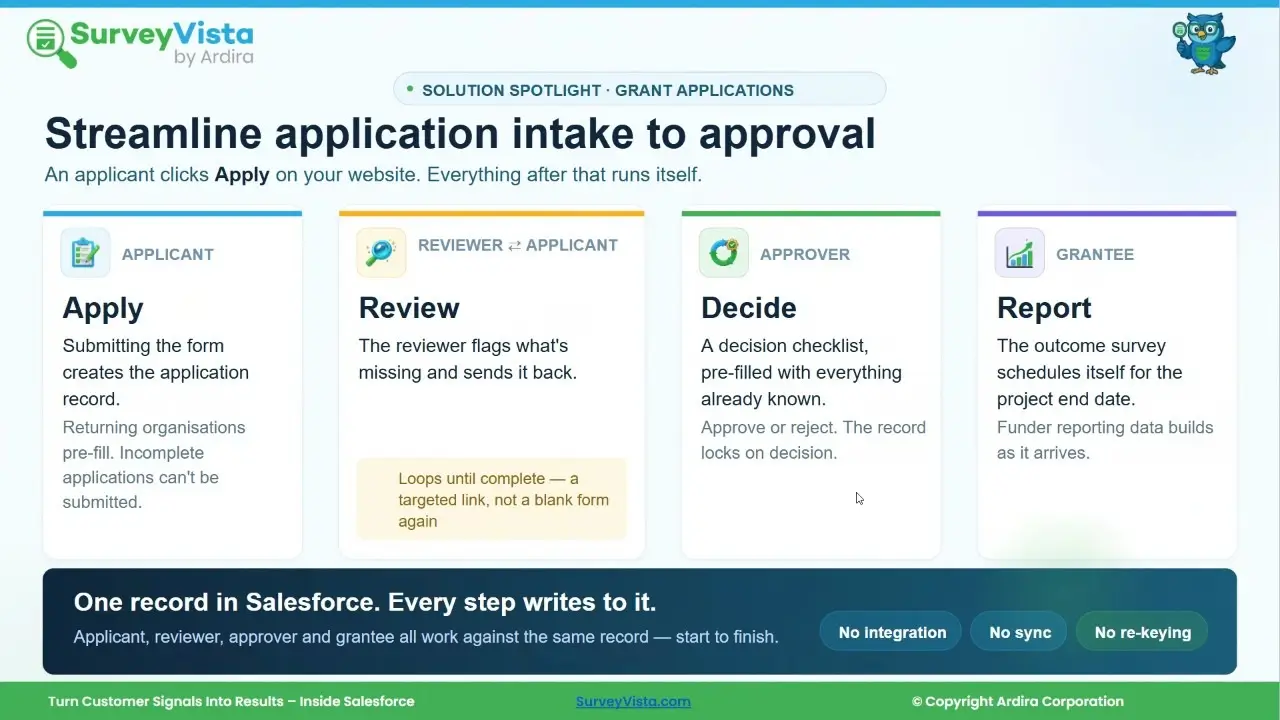
SurveyVista founder and CEO Rajesh Unadkat took a grant application from submission through screening, a targeted correction, independent evaluations from multiple reviewers, and an approval checklist. The application, its versions, comments, evaluations, and final decision all stayed on one Salesforce record.
Read the Nonprofit Dreamin’ recap for their take on the session, and watch the full recording in the Solution Spotlight playlist on their YouTube channel.
Frequently Asked Questions
- What is a grant application approval process?
It is the set of steps a funder uses to screen, evaluate, and approve grant applications. A typical process covers intake, completeness screening, clarification, review, approval, and recordkeeping. - What is the best way to request missing information from an applicant?
Flag the specific question that needs attention and send the applicant back to that question only, with a comment explaining what is needed. This avoids long email threads and keeps the updated answer connected to the original application. - Can multiple reviewers evaluate the same application?
Yes. Each reviewer completes an evaluation independently, the evaluations combine into an overall result, and the team can still see each individual evaluation. - Should applicants see reviewer comments?
Applicants should see comments that tell them what to fix. Internal notes about the decision should stay internal, in a separate, clearly labeled place. - What other processes use an application review workflow?
Scholarships, volunteer applications, program enrollment, awards, and speaker submissions all follow the same path from application to decision.
More Like This


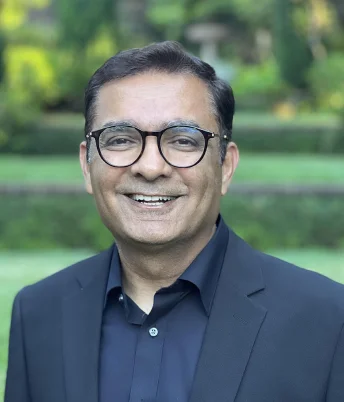
Rajesh Unadkat 
Founder and CEO
Rajesh is the visionary leader at the helm of SurveyVista. With a profound vision for the transformative potential of survey solutions, he founded the company in 2020. Rajesh's unwavering commitment to harnessing the power of data-driven insights has led to SurveyVista's rapid evolution as an industry leader.
Connect with Rajesh on LinkedIn to stay updated on the latest insights into the world of survey solutions for customer and employee experience management.