
share: 


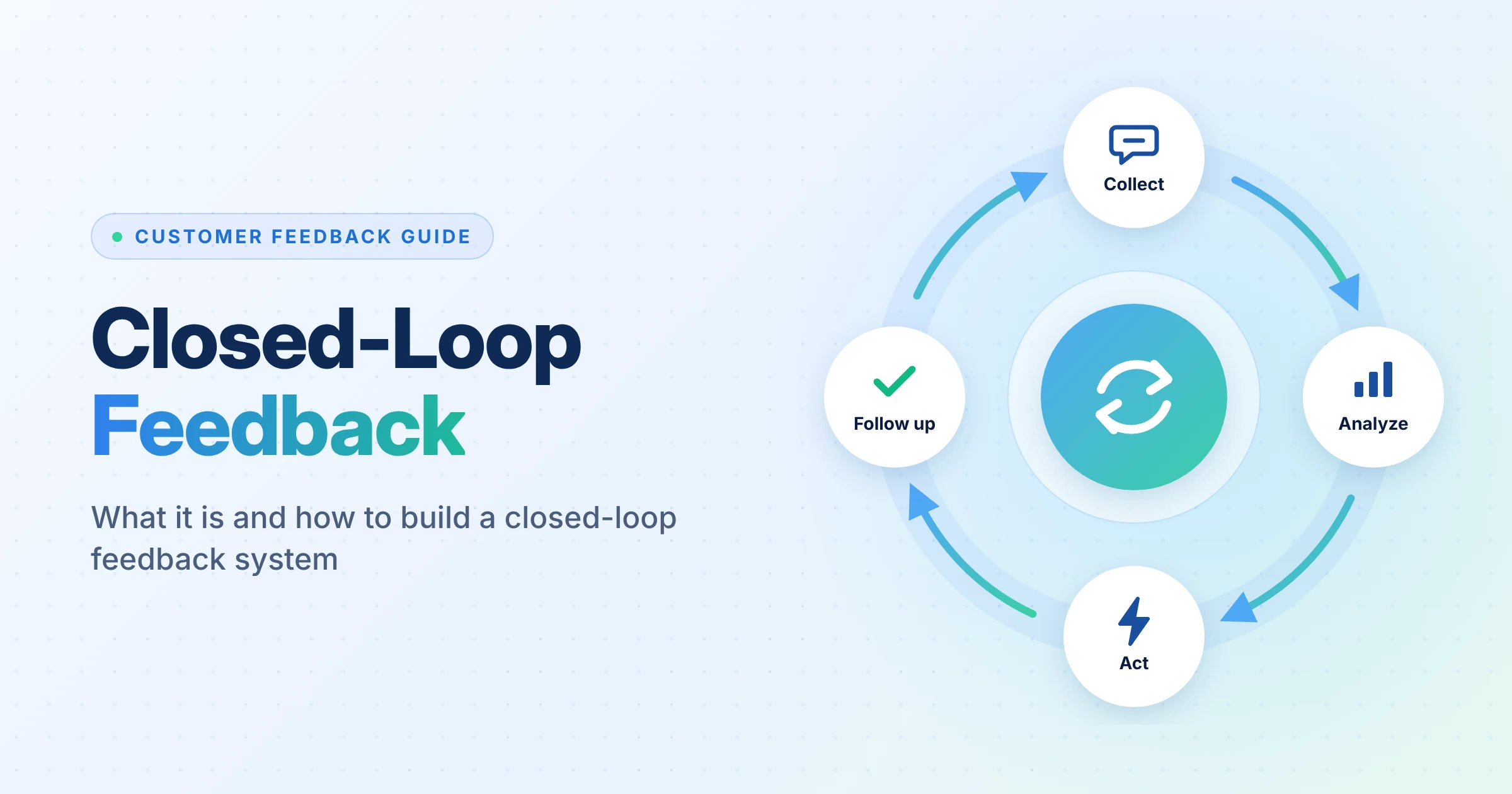
Closed loop feedback means acting on customer feedback, deciding what happens next, and telling the customer the outcome. A closed loop feedback system assigns each response that needs attention to someone responsible for taking it forward.
Collecting feedback is rarely the hard part. The real problem is what happens next. Responses get buried in reports, teams pass issues between departments, and customers are left wondering whether anyone acted on their feedback. This blog explores how to build a closed loop feedback process that gives every actionable response a clear next step and helps businesses fix recurring customer problems.
Key Takeaways
- Closed loop feedback connects a customer response to action, communication, and learning.
- A closed loop feedback system needs clear ownership and defined rules for escalation and closure.
- The closed loop feedback process breaks down when teams fail to assign responses, communicate outcomes, or address recurring problems.
- To act on customer feedback, consider customer impact, business risk, reach, and feasibility.
- Closed feedback loop examples include resolving individual complaints and fixing the processes behind repeated issues.
- A voice of customer feedback loop helps teams identify wider trends and decide where to improve.
- Knowing how to create a feedback loop means building a workflow employees can follow and measuring whether it works.
What Is Closed Loop Feedback, and Why Does It Matter?
Closed loop feedback is a structured process for collecting customer input, investigating it, taking appropriate action, and communicating the result. It also helps a business identify recurring problems that require changes beyond an individual case.
The process has two responsibilities:
- Respond to the customer: Investigate the concern and explain the outcome.
- Learn from the response: Decide whether the feedback points to a wider issue that needs attention.
For example, a support team may resolve one customer’s login problem by resetting an account. If dozens of customers report the same issue, the business also needs to investigate the login process.
Without that second step, teams may close individual cases while the underlying problem continues.
SurveyVista’s guide to closing the customer feedback loop with Agentforce explores how feedback workflows can connect incoming responses with operational actions inside Salesforce.
Where Does the Closed Loop Feedback Process Break Down?
A closed loop feedback process can fail at several points. Identifying the gap helps teams fix the workflow instead of simply asking employees to follow up more often.
| Breakdown | Why it happens | What to change |
| Feedback is collected but not reviewed | No clear review schedule or escalation rule | Set review frequency and urgent-response triggers |
| A complaint has no owner | Teams rely on shared inboxes or manual handoffs | Assign each actionable response to a person or team |
| Teams resolve issues but do not update customers | Internal completion is treated as the final step | Make customer communication part of the closure criteria |
| The same complaint keeps returning | Teams fix individual cases but ignore recurring causes | Group feedback by theme and assign improvement work |
| Reports show activity but not outcomes | Teams track response volume rather than results | Measure resolution, repeat complaints, and post-follow-up satisfaction |
These gaps need various fixes. Better reminders may help with overdue cases, but they will not solve unclear ownership or recurring product issues. Before choosing software or adding automation, decide what each response should trigger and who is accountable for the result.
How to Build a Closed Loop Feedback System Around Existing Workflows
A closed loop feedback system should fit into the way teams already manage customer relationships. If employees have to copy responses between tools and search for account details, follow-up becomes harder to maintain.
Collect feedback at useful moments
Ask customers about specific interactions, such as onboarding, support, product adoption, or renewal. Keep the questions relevant to the decision you want to make. SurveyVista’s user feedback software supports feedback collection and follow-up within Salesforce workflows.
Connect responses with customer context
A customer’s rating tells you how they felt, but not always why. Connect the response to their account details, past support tickets, and the interaction they’re rating. This gives your team the context to know the complaint and decide how to handle it.
That context helps the team avoid asking customers to repeat information they have already provided. It also makes it easier to route a response to the right person.
Create rules for the next action
Define what should happen when a customer submits a low score, reports a specific issue, or requests a follow-up. Depending on the response, the system may create a case, assign a task, notify an account owner, or add the feedback to a review queue.
SurveyVista’s questionnaire survey software helps teams collect structured responses and written feedback within Salesforce.
How to Act on Customer Feedback When Teams Disagree
To act on customer feedback, teams need a consistent way to decide which issues to address first. Different departments may have competing priorities, especially when a request requires product, support, and account teams to work together.
Use a shared decision framework like the follwing:
- Customer impact: How seriously does the issue affect the customer?
- Business risk: Could it affect retention, renewal, or adoption?
- Reach: Does the problem affect one customer or many?
- Feasibility: Can the team correct it now, or does it need more planning?
- Evidence: Do other responses or records support the same concern?
A request from one customer may still deserve attention if it blocks a critical workflow. A frequently requested feature may need further investigation if it does not solve the underlying problem.
The goal is not to promise that every request will be fulfilled. It is to make a clear decision and explain it honestly. SurveyVista’s survey analysis software helps teams review response patterns and identify areas that need attention.
How to Close the Loop on Customer Feedback Without Making Promises You Cannot Keep
When you close the loop on customer feedback, tell customers what the team has done or decided. Make it clear whether the issue is fixed, a change is planned, or the team won’t be taking action.
Use a different follow-up for each outcome:
| Outcome | What to tell the customer |
| Resolved | Explain what changed and whether the customer needs to take another step. |
| Planned | State what the team plans to do and share a date only if it can commit to one. |
| Under review | Confirm that the team is assessing the request and explain when it expects to provide an update, if known. |
| Declined | Explain the decision briefly and give the relevant reason. |
| Unable to verify | State what the team checked and what information, if any, it still needs. |
“We’ve received your feedback” only tells customers that their message reached the team. Follow up with what the team actually did, whether it fixed the issue or made a decision, and what happens next.
SurveyVista’s customer feedback in Salesforce guide explains how teams can connect feedback with customer records and operational workflows.
Closed Feedback Loop Examples: From Complaint to Improvement
These closed feedback loop examples show how teams can deal with individual cases while using the information to improve their work.
| Situation | Individual response | Wider action |
| Customers report confusing onboarding | Help each customer complete the setup. | Review instructions and simplify the step causing confusion. |
| Several accounts report slow support | Investigate affected cases and update customers. | Review staffing, routing, or response procedures. |
| Customers request the same feature | Record the request and communicate the product team’s decision. | Assess demand, business value, and development effort. |
| Customers report repeated billing errors | Investigate and correct affected transactions. | Review the billing process and controls. |
The important distinction is between resolving the reported incident and preventing it from recurring. A mature closed loop feedback system tracks both.
How to Create a Feedback Loop That Teams Will Actually Use
Knowing how to create a feedback loop is not just a question of software. The workflow must be clear enough for employees to use consistently.
Start with a small set of rules:
- Define which responses need personal follow-up.
- Assign each response category to an owner.
- Set response and resolution deadlines.
- Automate routine assignments and reminders where possible.
- Record the action, decision, and customer communication.
- Review recurring themes and assign improvement work.
- Check whether the changes reduced the original problem.
Keep the first version simple. Add more routing rules when the team understands which cases need different treatment. Too many categories and exceptions can make the process difficult to maintain.
SurveyVista’s customer experience analytics software can help teams analyze customer feedback and monitor experience trends.
How a Voice of Customer Feedback Loop Helps Teams Make Better Decisions
A voice of customer feedback loop helps businesses spot patterns in customer comments and ratings, then use those findings to decide what needs to change.
For example, if customers keep reporting problems with checkout, the support team can help those who are stuck while the digital team investigates the cause. The team can then review new feedback to see whether the changes have helped.
Look at feedback by customer segment, product area, and stage of the customer journey. Compare those patterns with business data before deciding which problems to tackle first. SurveyVista’s About Us page explains how its Salesforce-native platform connects customer insights with workflows and business decisions.
How Does SurveyVista Close the Customer Feedback Loop?
SurveyVista works directly within Salesforce. Teams can trigger customer feedback surveys based on CRM activity. They can route responses based on score thresholds and use suppression rules to avoid sending too many surveys to the same customer. Automated follow-ups help teams address negative responses without tracking each case manually.
Ready to build a closed loop feedback system that takes customer responses from collection to follow-up? Book a demo with SurveyVista to see how its voice of the customer solution connects feedback, Salesforce workflows, and customer follow-up in one platform.
Frequently Asked Questions
What should you do when customer feedback conflicts with what most customers say?
Do not dismiss it just because it is uncommon. Check the customer’s context and investigate whether the issue affects a specific segment or use case. A problem that affects a small group can still be serious.
How Often Should Teams Review Feedback Trends?
Review urgent complaints as soon as they come in. Check recurring themes on a regular schedule based on how much feedback you receive. Teams handling large volumes of support requests may need daily reviews, while those receiving occasional product suggestions can review them less often.
How Should You Close a Feedback Case When a Requested Change Is Rejected?
Record the decision and explain it to the customer. If the team can’t make the change because of technical limits, competing priorities, or company policy, say so directly. Don’t promise a change that hasn’t been approved.
Can Automated Follow-Ups Replace a Personal Response?
Automation can acknowledge feedback, assign cases, and send routine updates. But complaints that need investigation or decisions that need explanation call for a personal response. Use automation to handle routine tasks, and let your team take over when a customer needs a clear answer.
More Like This


Rajesh Unadkat 
Founder and CEO
Rajesh is the visionary leader at the helm of SurveyVista. With a profound vision for the transformative potential of survey solutions, he founded the company in 2020. Rajesh's unwavering commitment to harnessing the power of data-driven insights has led to SurveyVista's rapid evolution as an industry leader.
Connect with Rajesh on LinkedIn to stay updated on the latest insights into the world of survey solutions for customer and employee experience management.