share: 


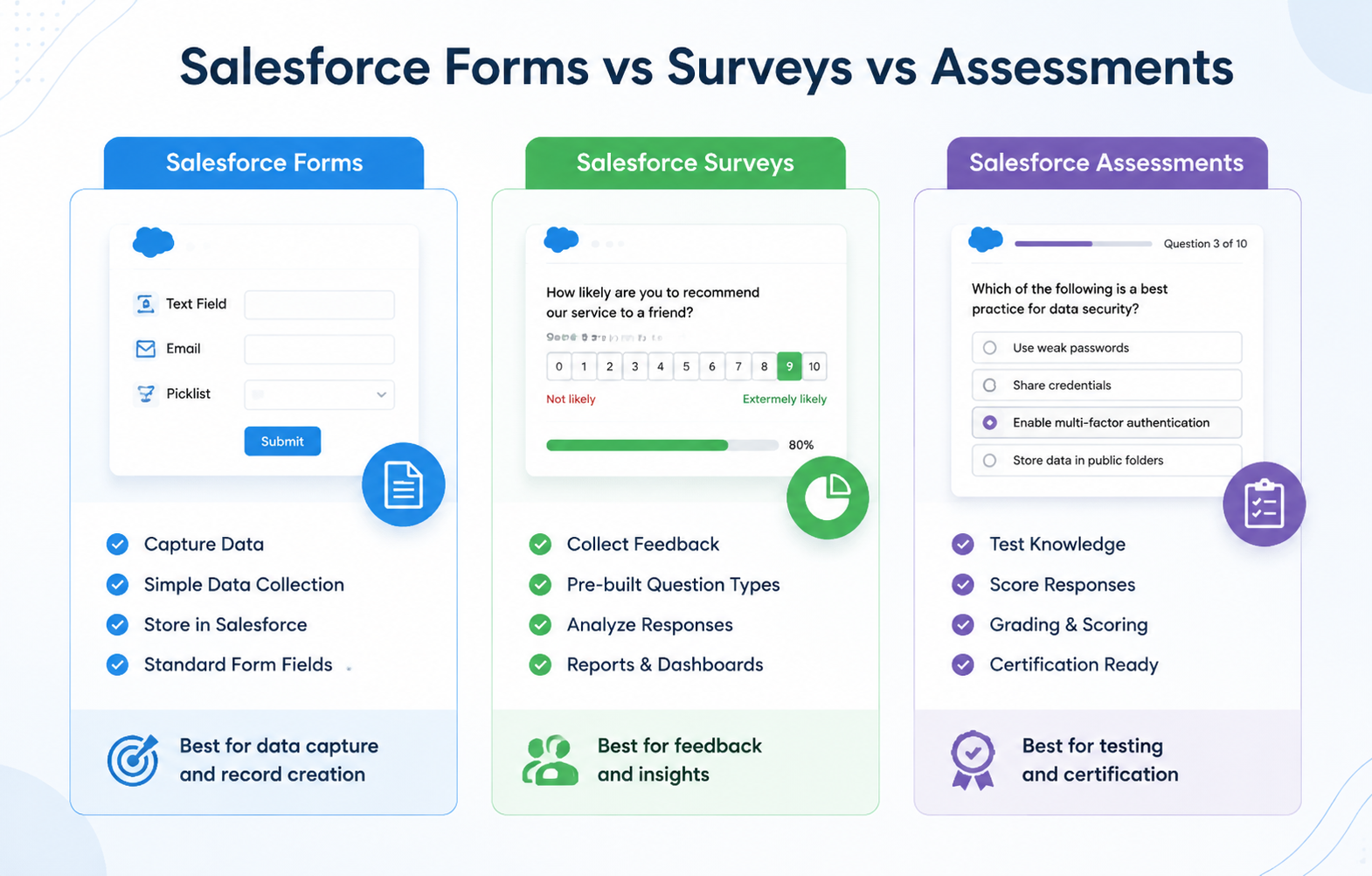
The form vs survey question comes up constantly in Salesforce teams, and the honest answer is: it depends on what you’re trying to capture. Forms collect specific facts. Surveys collect opinions. Assessments score and evaluate against a standard.
A registration form dressed up as a survey annoys people with unnecessary questions. A satisfaction survey disguised as a form gets flat, useless answers because it never asks how someone actually feels.
This guide breaks down what each tool is built for, when to reach for it, and why running forms, surveys, and assessments in one native Salesforce system beats juggling three separate tools.
What Is a Salesforce Form?
Salesforce Forms exist to capture structured, objective information: a name, an email address, an order number, a registration detail. The questions are short, the answers are factual, and there’s usually one correct way to fill each field in.
Salesforce’s built-in Web-to-Lead is the simplest native example. It generates an HTML form that writes directly into the Lead object. It’s genuinely useful for basic lead capture, but it comes with real constraints: no field validation, no conditional logic, and a default cap of 500 leads per 24-hour period before submissions start queuing instead of creating records immediately.
More advanced native form tools extend this into event registration, patient or donor intake, service requests, and multi-object submissions where one form creates a Contact, a Case, and a custom record in a single step.
SurveyVista’s platform overview covers how this works when forms, surveys, and assessments all share the same builder.
Common Salesforce form use cases:
- Lead and contact capture
- Event and webinar registration
- Donor or volunteer intake
- Service and support requests
- Application and enrollment forms
What Is a Salesforce Survey?
Salesforce surveys exist to capture opinions, sentiment, and subjective feedback, not facts. A survey asks how someone feels about an experience: how satisfied they were, how likely they are to recommend you, and how much effort a task took.
Salesforce’s native Surveys feature builds this directly on platform objects, so responses connect to Contacts, Cases, and Accounts the same way any other record does.
The official Salesforce Surveys data model maps out how survey versions, questions, invitations, and responses all relate back to the person and record they came from, which is exactly why native surveys hold more context than a standalone tool ever can.
The three metrics most Salesforce survey programs are built around:
| Metric | What it measures | When to send it |
| CSAT | Satisfaction with a specific interaction | Right after a case closes or a purchase completes |
| NPS | Overall relationship loyalty | Quarterly, post-onboarding, or at renewal |
| CES | Effort required to get something done | After a support interaction or self-service attempt |
Common Salesforce survey use cases:
- Post-case CSAT surveys
- Relationship-level NPS programs
- Employee satisfaction and engagement surveys
- Product feedback and win-loss surveys
See more real examples on the SurveyVista use cases page, which walks through CSAT, NPS, and CES programs built natively in Salesforce.
What Is a Salesforce Assessment?
An assessment is different from both. It’s not just collecting an answer; it’s scoring one against a standard. Assessments ask structured questions, then apply logic, weighting, or pass/fail criteria to the responses to produce a result: a competency score, a risk rating, a compliance pass or fail.
In Public Sector Solutions, for example, assessment indicator definitions let an inspector work through a checklist where each item is scored against a defined regulatory standard, and the results roll up into a documented outcome.
The same underlying pattern (question, criteria, score, outcome) applies whether you’re running a compliance inspection, a training competency test, or a vendor risk review.
Common Salesforce assessment use cases:
- Vendor and supplier risk assessments
- Training and competency evaluations
- Health and safety compliance checklists
- Financial or ESG audit checklists
- Quality assurance inspections
If compliance-driven assessments are the priority, it’s worth comparing how a purpose-built option like ComplianceVista handles scoring and audit trails versus a general-purpose survey builder stretched to do the same job.
Form vs Survey: The Core Difference
Here’s the distinction that trips up most teams: a form asks “what is true,” a survey asks “what do you think.” Get this backward, and your data quality suffers either way.
| Form | Survey | |
| Collects | Objective facts | Opinions and sentiment |
| Question style | Short answer, structured fields | Scales, ratings, open-ended |
| Goal | Capture a record | Understand an experience |
| Example | Event registration | Post-event satisfaction survey |
| Salesforce object | Usually Lead, Contact, custom object | Survey response linked to a record |
Forms vs Surveys vs Assessments: Side by Side
| Form | Survey | Assessment | |
| Purpose | Capture data | Capture opinion | Score against a standard |
| Output | A record | A sentiment metric | A score or pass/fail result |
| Typical trigger | Registration, intake, request | Case closure, renewal, milestone | Audit, inspection, evaluation cycle |
| Example | Donor registration form | NPS survey after onboarding | Vendor security risk assessment |
Which Should You Use? Match the Tool to Your Goal
Use a form when
You need one clean, factual answer to a specific question, and you’ll use that data for something downstream, like creating a Lead, registering someone for an event, or opening a Case.
Use a survey when
You need to understand how someone feels, and there’s no single right answer. If the question starts with “how satisfied were you” or “how likely are you to,” it’s a survey question.
Use an assessment when
You need to evaluate something against a defined standard and produce a score or a pass/fail outcome, not just collect an opinion. Compliance checks, competency tests, and risk reviews all fall here.
Quick decision checklist
- Am I collecting a fact, an opinion, or a score? That answer alone tells you which of the three you need.
- Does the result need to trigger a workflow (create a case, flag a risk, update a record)? All three can, but assessments are built around scored outcomes specifically.
- Will this run once, or repeatedly on a schedule? Recurring compliance checklists point toward assessments; one-time intake points toward forms.
- Do I need the response tied to an existing Salesforce record? If yes, native tools avoid the sync delay that comes with an external form or survey builder.
Why Keep Forms, Surveys, and Assessments in One Native System
A customer success team runs onboarding forms, quarterly NPS surveys, and periodic account health assessments, often for the same customer. If those three live in three separate tools, none of them see each other. The onboarding form data never informs the NPS survey timing. The assessment score never triggers a workflow based on what the survey already flagged.
Running Salesforce forms, surveys, and assessments natively through one platform means Salesforce form automation, survey distribution, and scored evaluations all write to the same records, in real time, without a separate integration keeping them in sync.
Before you commit to a tool for any one of these three, it’s worth working through the ultimate checklist for choosing a survey and form solution, since the same evaluation criteria (data location, automation depth, scoring logic) apply across all three use cases.
Ready-Made Templates for Each Type
Starting from a blank builder is the slowest way to launch any of these. SurveyVista’s template library includes pre-built forms, surveys, and checklists you can import directly, filterable by type and industry. A few examples worth looking at first:
- Customer Satisfaction Survey: measures how customers feel about their overall product or service experience. Use it to track loyalty trends over time, not just a single interaction.
- Customer Service Satisfaction Form: captures structured feedback on one specific support interaction, including channel used and resolution rating. Send it right after a case closes.
- Service Cancellation Survey: asks why a customer is leaving, giving retention teams a documented reason instead of a guess.
- Testimonial Form Template: collects positive customer quotes for marketing use, a good example of a form built for one narrow, factual purpose.
Frequently Asked Questions
Can one tool handle forms, surveys, and assessments, or do I need three separate products?
Several native Salesforce platforms handle all three from one builder, since the underlying architecture (a question, a response, a linked record) is similar across all three types, with scoring and workflow logic layered on top for assessments specifically.
Is Salesforce’s built-in Web-to-Lead good enough for form automation?
It works for basic lead capture, but it has no field validation and a default 500-lead daily cap, so higher-volume or multi-object form automation typically needs a more capable native form builder.
What’s the difference between an assessment and a checklist in Salesforce?
A checklist is usually a subset of an assessment: a list of items to confirm. An assessment adds scoring or pass/fail logic on top of that list to produce a documented outcome, which is what separates a simple task list from a formal evaluation.
Do surveys and assessments require different Salesforce licenses?
It depends on the vendor. Salesforce’s native Feedback Management has its own edition requirements, while AppExchange apps built specifically for surveys and assessments often bundle both under one license; always confirm current requirements before purchasing.
Should NPS be a survey or an assessment?
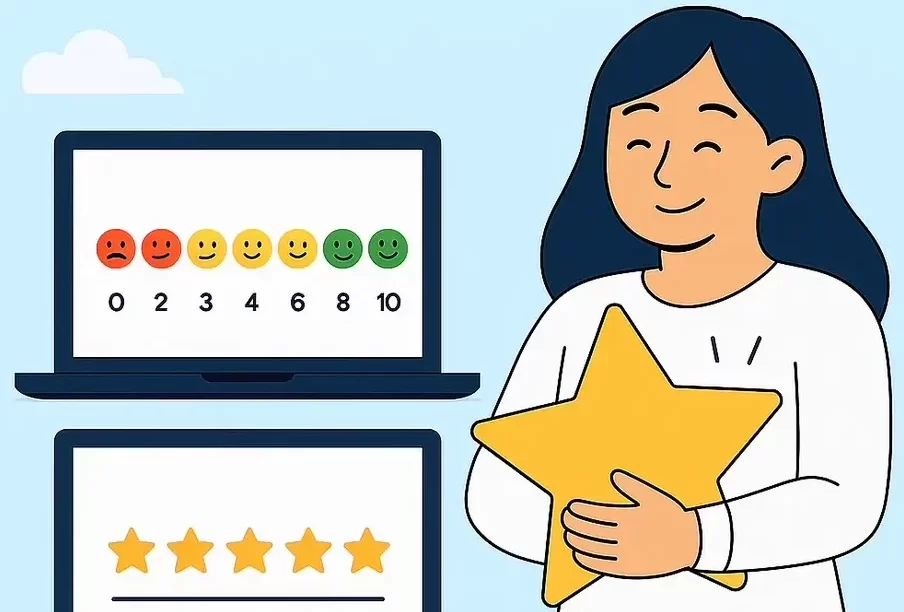
NPS is a survey. It measures a subjective opinion (likelihood to recommend), not a scored outcome against a fixed standard, even though the 0-10 scale can feel assessment-like at first glance.
More Like This


Rajesh Unadkat 
Founder and CEO
Rajesh is the visionary leader at the helm of SurveyVista. With a profound vision for the transformative potential of survey solutions, he founded the company in 2020. Rajesh's unwavering commitment to harnessing the power of data-driven insights has led to SurveyVista's rapid evolution as an industry leader.
Connect with Rajesh on LinkedIn to stay updated on the latest insights into the world of survey solutions for customer and employee experience management.