
share: 


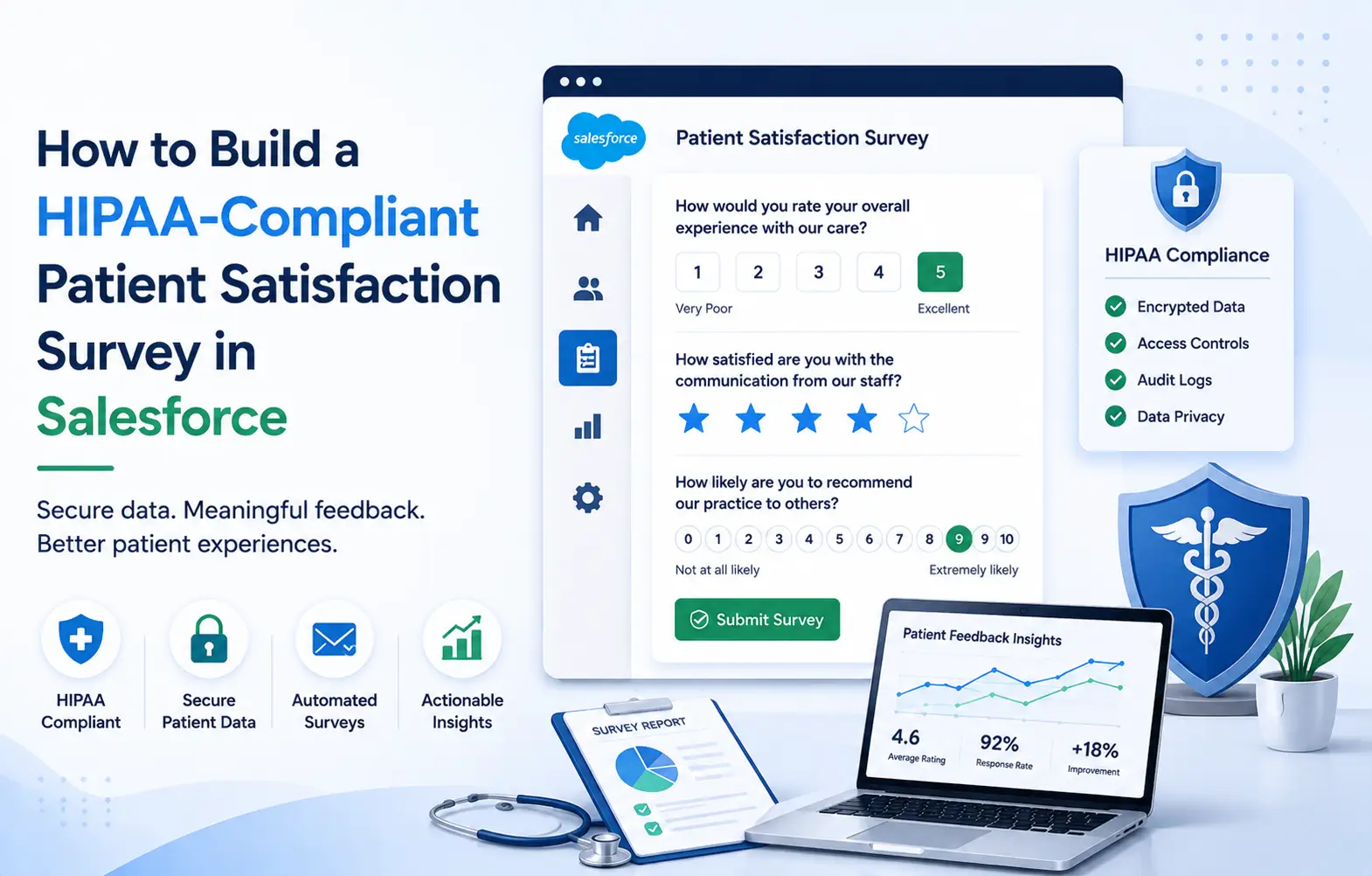
HIPAA-compliant survey software is any patient feedback tool meeting HHS Privacy and Security Rule requirements. That means a signed BAA, encryption in transit and at rest, and role-based access. Audit logging and defined breach notification round out the five requirements every platform must cover.
This guide walks through building a HIPAA-compliant patient satisfaction survey inside Salesforce Health Cloud. It covers what the requirements mean in practice and how SurveyVista fits that setup.
This article covers technical guidance only, not legal advice on any compliance matter. Confirm your specific compliance obligations with your privacy officer and legal counsel before deployment.
What HIPAA-Compliant Survey Software Actually Requires
Requirements come from the HIPAA Security Rule published by HHS. Any healthcare survey software collecting PHI has to meet five specific standards documented there.
A signed Business Associate Agreement. The vendor becomes a Business Associate the moment it handles patient data. Without a signed BAA, that tool is not usable for PHI regardless of security features.
Encryption in transit and at rest. TLS 1.2 or higher covers the connection, and AES-256 typically covers stored responses. Both layers of encryption are required, not one or the other, for full coverage.
Role-based access controls. Only staff whose roles genuinely require access should see any given survey response. This aligns with HIPAA’s minimum-necessary standard applied to every PHI category.
Audit logging. Every access, view, edit, or export needs tracking with a tamper-resistant, timestamped log. Logs must be retained long enough to support both privacy reviews and any external audit.
Breach notification procedures. A defined process handles identification, containment, and reporting inside the HHS-required window. Missing this piece invalidates the compliance posture even when the technical controls hold.
Where Salesforce Healthcare Solutions Fit Into HIPAA Compliance
Salesforce’s HIPAA posture depends entirely on which product edition holds the patient data. This distinction is the single biggest source of confusion for teams building healthcare survey workflows.
Salesforce Health Cloud is the platform edition specifically designed for handling PHI. Salesforce signs a BAA covering Health Cloud, with encryption and access controls included.
Salesforce Marketing Cloud is not covered under a HIPAA BAA and cannot hold PHI. Loading patient survey data into Marketing Cloud creates compliance exposure regardless of technical security.
Standard Sales Cloud or Service Cloud usually requires additional Health Cloud licensing to hold PHI. Your Salesforce contract defines the BAA scope, so that document remains the source of truth. The full picture for Salesforce’s own certifications lives at Salesforce’s Compliance Site. That page lists HIPAA alongside SOC 2, ISO 27001, GDPR, and other frameworks.
See how SurveyVista fits inside a Salesforce Health Cloud environment →
Step-by-Step: Building the Patient Satisfaction Survey
Each step below assumes the org runs on Health Cloud with a signed BAA. The sequence follows a standard build for a patient experience survey program.
Step 1: Confirm the Survey Object Holds PHI Correctly
Create the survey response object inside Health Cloud, not in Marketing Cloud or external tools. The response record links to the Contact and, where relevant, to the Case or Encounter.
Step 2: Apply Field-Level Security on PHI Fields
Any field capturing identifying information, clinical context, or free-text comment needs field-level security applied. Restrict visibility to specific profiles or permission sets covering QI staff and clinical operations.
Step 3: Enable Encryption on PHI-Containing Fields
Salesforce Shield Platform Encryption applies AES-256 encryption to fields designated as sensitive PHI. Field-level encryption is separate from the transport-level TLS covering data in motion. Both layers are required for a properly configured HIPAA-compliant survey inside Salesforce.
Step 4: Configure the Consent Language
The survey introduction should explain what happens to responses and who sees them. The SurveyVista HIPAA Release Form template is a working example of consent language. It covers purpose restrictions, expiration dates, and recipient limitations built directly into the form.
Step 5: Set Up Audit Logging
Enable Salesforce Event Monitoring or Field History Tracking on the survey response object. The audit trail needs to capture who accessed which response, when, and what action taken. Retain logs long enough to support both internal privacy reviews and any external audits.
Step 6: Route Low Scores Without Exposing PHI
A detractor response should trigger a follow-up Task or Case for the assigned clinical contact. The Flow that routes it should reference the record link, not embed patient comment content. Never paste patient text into an email subject line or Chatter post as free text.
Step 7: Test the Full Data Path End to End
Before going live, trace one test response from submission through storage, reporting, and downstream workflow. Every hop needs to stay inside the BAA-covered Salesforce boundary at all times.
Get the HIPAA Release Form template built for Salesforce →
The 5 Requirements Compared Side by Side
| Requirement | Non-Compliant Setup | HIPAA-Compliant Setup |
| BAA scope | External survey tool with no BAA | Health Cloud BAA covering the native app |
| Encryption | Response emailed unencrypted | AES-256 at rest, TLS 1.2+ in transit |
| Access controls | All staff see all responses | Field-level security, permission sets, minimum-necessary |
| Audit logging | No record of who viewed a response | Event Monitoring capturing view, edit, export events |
| Consent | Generic disclaimer or none at all | Purpose-specific, time-bound, recipient-limited language |
A Real Example: Reach Healthcare’s Compliance-First Feedback Program
Reach Healthcare provides care services across community settings and runs the Happy Mama doula program. Their prior feedback process had scattered data, no real-time insights, and HIPAA compliance concerns. They moved to SurveyVista running natively inside Salesforce for the entire feedback workflow.
Feedback and client data now capture directly to Salesforce records inside their Health Cloud environment. Sensitive data stays inside the CRM, meeting compliance needs without a third-party integration layer. The published outcome: centralized patient feedback survey data, automated follow-up workflows, and higher engagement rates. Their team expanded into other native use cases like event registration and volunteer sign-up too.
Patient Experience Feedback Design Choices That Affect Compliance
Keep open-text fields intentional. Free-text responses often contain unintentional PHI in the form of clinical detail. Every open-text field on the patient experience survey should serve a specific documented use case.
Separate satisfaction data from clinical data at the object level. The survey response object should link to the patient record, not duplicate clinical detail. Diagnosis codes, medications, and clinical notes already live in EHR or Health Cloud clinical objects. Duplicating that content into satisfaction records expands PHI exposure without adding real analytical value.
Set consent expectations up front, not buried in fine print at the end. Patients who understand how their feedback gets used provide more candid, actionable responses over time. Consent language should say plainly whether the response is anonymous, attributed, or tied to care.
Match the survey trigger to a real, defined clinical or service event. A CSAT survey after a visit or Case closure has a clear compliance boundary. An untriggered blast to every patient in the database is harder to justify under minimum-necessary.
Templates like the New Patient Registration form show how structured intake captures only necessary fields. These serve as useful reference points when designing the patient satisfaction survey software workflow itself.
Explore the SurveyVista template library for healthcare workflows →
Frequently Asked Questions
Is a patient satisfaction survey always subject to HIPAA regulations?
Not always, though the threshold is lower than most teams expect. A survey with no identifying information linked to any patient may fall outside HIPAA. Once responses are attributed or contain identifying comment content, HIPAA applies fully to that data.
Can Salesforce Marketing Cloud handle patient satisfaction survey data safely?
No, not for any PHI-containing responses in a healthcare setting. Marketing Cloud is not covered under a HIPAA BAA and cannot hold PHI. Patient satisfaction surveys with identifiable clinical feedback belong inside Health Cloud or another covered environment.
Does SurveyVista sign its own separate BAA with healthcare customers?
SurveyVista inherits Salesforce’s HIPAA coverage when installed inside a Salesforce Health Cloud org. Because every response stays inside the Salesforce org, no data crosses to a separate environment. Confirm your specific setup with SurveyVista and your Salesforce account team before deployment.
How is HIPAA audit logging different from standard Salesforce reporting features?
Reports show survey results by content, sentiment, and category over defined time periods. Audit logging captures who accessed which specific response, when, and what actions they took. HIPAA requires the audit trail, not the report, for compliance review during any audit.
What happens if a patient revokes consent after submitting a healthcare survey response?
The Salesforce record needs to reflect the revocation with a timestamp across connected records. Downstream workflows referencing that response should stop firing immediately after the revocation lands. The HIPAA Release Form template includes revocation fields supporting this workflow inside the record itself.
Feature and product details reflect information published on SurveyVista and Salesforce pages currently. This article does not constitute legal advice on any specific compliance matter. Confirm HIPAA obligations, BAA scope, and current product capabilities with legal counsel before deployment.
More Like This



Rajesh Unadkat 
Founder and CEO
Rajesh is the visionary leader at the helm of SurveyVista. With a profound vision for the transformative potential of survey solutions, he founded the company in 2020. Rajesh's unwavering commitment to harnessing the power of data-driven insights has led to SurveyVista's rapid evolution as an industry leader.
Connect with Rajesh on LinkedIn to stay updated on the latest insights into the world of survey solutions for customer and employee experience management.